Vim mode
You can now move around the site with h j k l, jump with gg and
G, and type commands after :, like in vim.
Before this, the only way to get around the site with a keyboard was Tab, one link at a time, in page order. On the home page, getting to a cat a few rows down meant tabbing through every cat before it, and there was no way to go left, right, up or down. So I added the keys a lot of us already have in our fingers.
Moving around
hjklmove the highlight left, down, up and right, to the nearest link or button in that direction. Enter opens it.gg(twogpresses in quick succession) goes to the top of the page, andG(Shift+G) to the bottom.
The movement follows what the page looks like on your screen. On the home
page, j goes from the logo to the copy button to the first cat, and from
there to the cat below it, whether the grid has three columns, two or one.
The highlight is the browser's own keyboard focus, so Tab and Shift+Tab
carry on from wherever you left it, and screen readers follow it too.
The command line
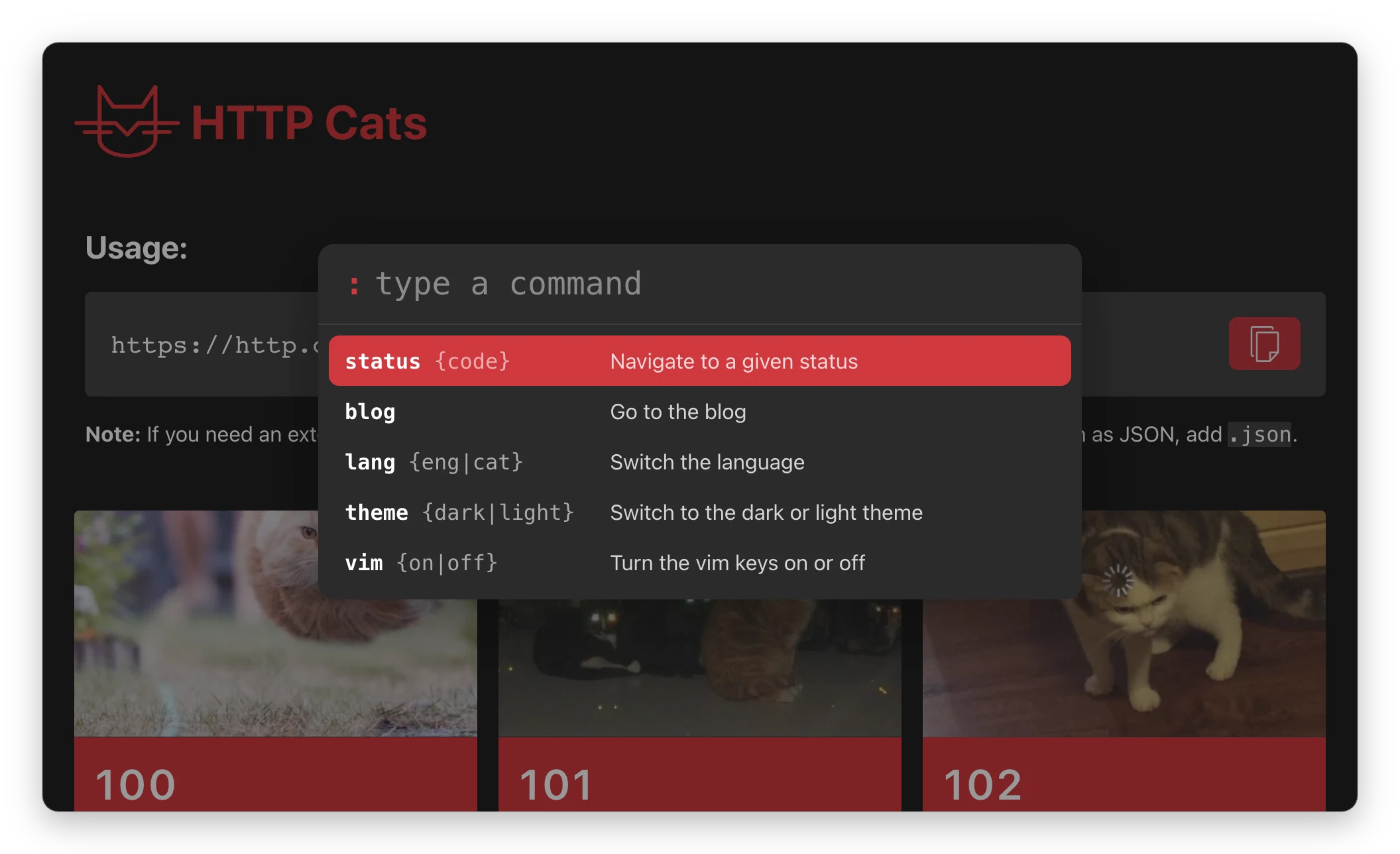
Press : and a command line opens over the page. Start typing and it lists
the commands that match. Tab completes the selected one, ↑ and ↓ (or Ctrl+P
and Ctrl+N) move through the list, and Enter runs it:
:status 404opens the 404 page.:status 4lists every 4xx status, so it's also a quick way to look one up.:bloggoes to the blog.:lang catand:lang engswitch the page to Catalan or English.:theme darkand:theme lightswitch the theme.:vim offturns the vim keys off,:included.
Esc closes it. Get a command wrong and you get vim's own error messages,
E492: Not an editor command included.
Settings
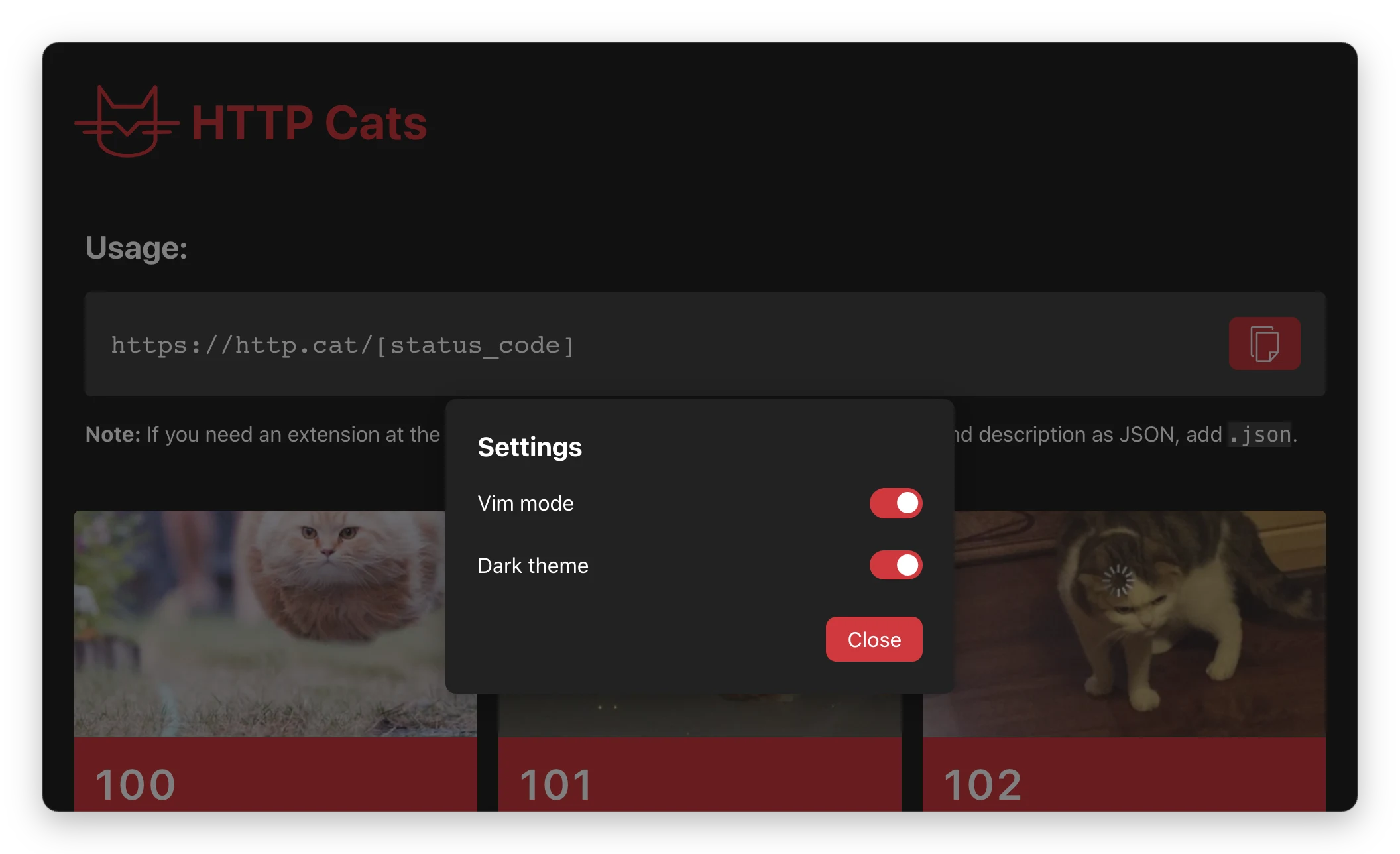
There's a new Settings link in the footer, next to the Blog link. It has two switches:
- Vim mode, on by default. Single-letter shortcuts can be triggered by accident, especially by people who use speech input to control their computer, so there has to be a way to turn them off. Once they're off, this switch is also how you turn them back on.
- Dark theme. The site has followed your system's light or dark setting for a while, and now you can choose. Set it to the opposite of your system and it sticks; set it back to match your system and the site goes back to following it.
Both are remembered across pages and visits.
Vim extensions
If you use a browser extension like Vimium, Tridactyl or Surfingkeys, it
gets h j k l before the site does. To use the site's keys instead,
add http.cat to the extension's exclusion list.
As always, let me know if
something doesn't work the way you'd expect. :wq